Aseprite Frame Timestamp Lua Script
A downloadable project
Hi there,
I make animations complete with sounds. These can often require precise timing of sound effects and music down to the tenths of seconds. Currently, in Aseprite I have to take the number of frames and use a calculator to multiply out my frame duration to get the timestamp.
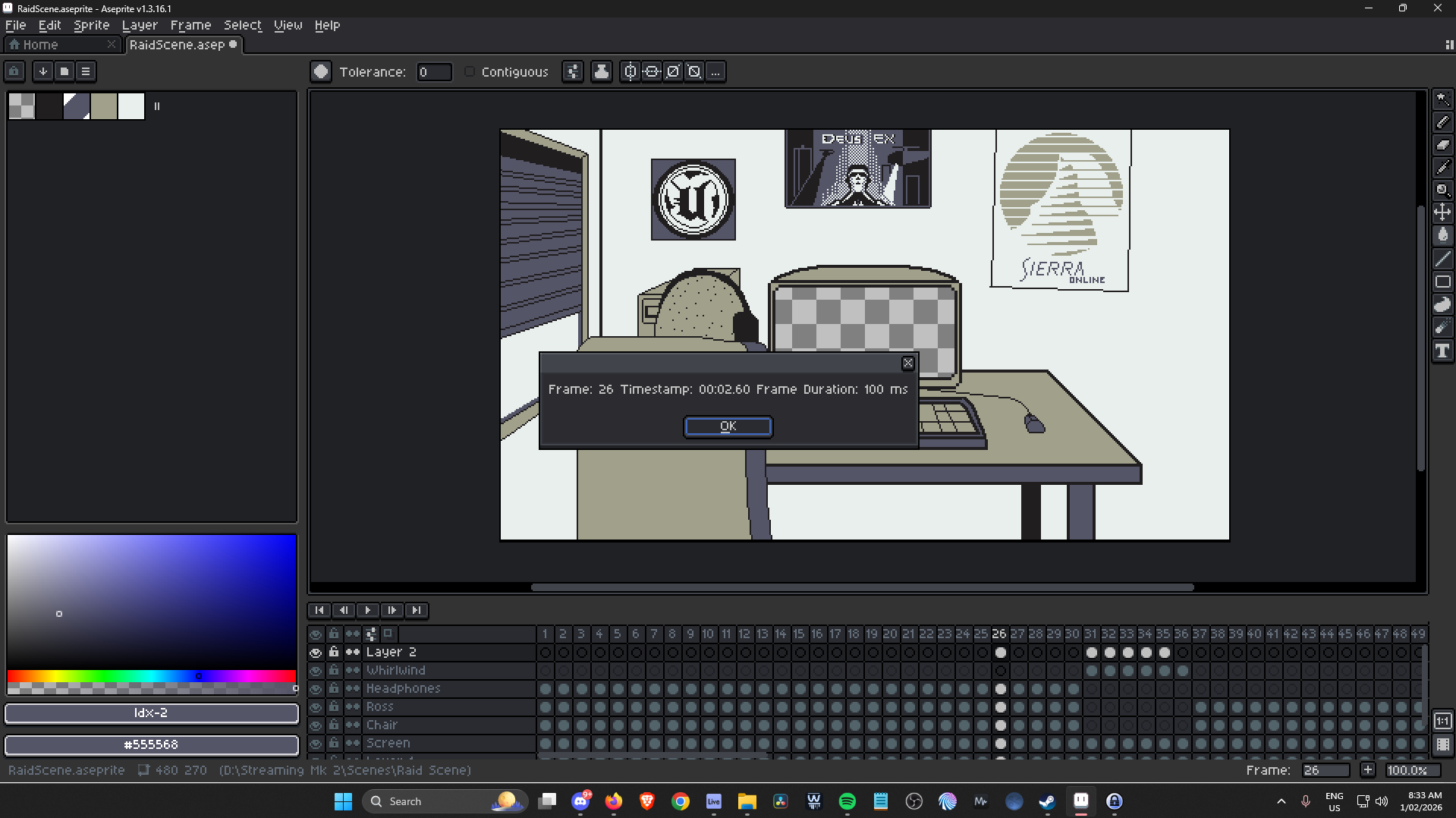
This script does it for me now instead. I recommend binding it to F5.
Usage : Select a frame, press F5 (or your shortcut) and a small dialogue box opens containing the Frame number, Timestamp and Frame Duration Confirmation as per the screenshot.
To change the frame duration:
Press File > Scripts > Open Scripts Folder
Then search for frame_timestamp.lua
Open this file with notepad and follow the instructions at the top to amend the frame duration in milliseconds.
I hope this helps someone as much as it helped me. I used ChatGPT to get this together. If you want to say 'Thanks' but dont want to pay anything (understandable), jump over to my twitch at https://www.twitch.tv/edit_au and chuck me a follow. Come say hello on Fridays when I stream and let me know what you're making.
Cheers
edit
Download
Click download now to get access to the following files:
Leave a comment
Log in with itch.io to leave a comment.